

Every digital image tells two stories. One is what the viewer sees. The other is how the image was constructed, what information it preserves, and what happens when somebody tries to enlarge, edit, print, or reproduce it.
In a 19-page ASX Research paper, Albert N. Clark examines the science separating raster and vector graphics, challenging the familiar assumption that vector artwork is automatically superior because it can be enlarged without becoming pixelated. The real difference reaches into mathematics, sampling, geometry, image processing, and increasingly artificial intelligence.
Pixels and Geometry Are Different Languages
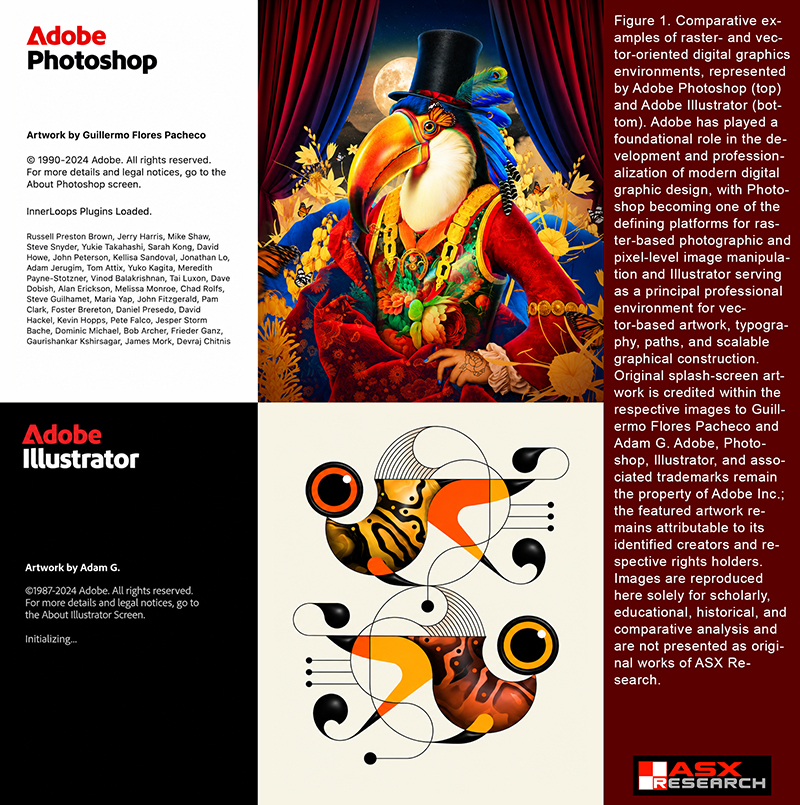
Raster images represent visual information through sampled values arranged across a grid. Photographs, digital paintings, and most conventional image files use this approach. Each pixel contributes information about color, brightness, and sometimes transparency at a particular location.
Vector graphics preserve something fundamentally different: geometric instructions. Coordinates, paths, curves, fills, strokes, and transformations describe how the artwork should be constructed. A circle is not merely a collection of colored pixels; it can remain an editable geometric object.
That distinction determines what survives when an image changes size. Enlarging a raster requires calculating new pixel values. Enlarging a vector allows the rendering system to evaluate its original geometry at the new resolution.
Why Vector Graphics Scale
The familiar claim that vectors can be enlarged without losing quality is broadly correct, but often misunderstood. Vector artwork does not contain infinite detail. Instead, its underlying geometry is independent of a particular pixel grid.
A carefully constructed aircraft silhouette can be displayed on a website, printed on a poster, or reproduced on a building-sized banner without enlarging pixels from a smaller image. The same curves and shapes are rendered again for the required output.
Those curves frequently rely on Bézier mathematics, which allows designers to control complex contours using endpoints and control points. Moving those points changes the actual construction of the artwork, not merely its visible pixels.
Yet even vector graphics must eventually become pixels on a conventional monitor. Their advantage is that rasterization can occur at the appropriate stage of production rather than being permanently fixed at the beginning.
Why Raster Images Remain Essential
Raster graphics have an equally important advantage: they can preserve extraordinarily complex visual information without requiring every detail to be described as a separate geometric object.
Consider an aircraft photograph containing reflections, atmospheric haze, clouds, corrosion, paint variations, and subtle lighting. Converting every one of those details into editable vector paths would create enormous complexity with little practical benefit.
For photographic information, raster representation is generally the natural choice. For logos, technical drawings, controlled typography, and precisely defined shapes, vector construction frequently offers greater flexibility.
The research emphasizes that professional graphics work is often hybrid. A technical aviation illustration may combine a raster photograph with vector arrows, labels, aircraft outlines, and measurement annotations.
The Mathematics Behind Image Quality
When a raster image is enlarged, software must estimate new pixel values through interpolation. Techniques such as nearest-neighbor, bilinear, bicubic, and Lanczos interpolation approach that calculation differently, producing different compromises in sharpness, smoothness, and artifacts.
Increasing pixel dimensions does not automatically recover information missing from the original image. A photograph enlarged from 1,000 to 4,000 pixels in width contains more output pixels, but those additional values were reconstructed from existing information.
Reducing an image also carries consequences. Fine lines, small typography, closely spaced patterns, and delicate aircraft details can disappear or produce false visual patterns when sampling is performed incorrectly.
Anti-aliasing helps smooth diagonal lines and curved boundaries by managing how geometric edges interact with a finite pixel grid. The gray transitional pixels around a black diagonal line are not necessarily unwanted blur; they can represent deliberate calculations that improve perceived edge quality.
The DPI Misunderstanding
One of the paper’s most practical lessons concerns the widespread misuse of image-resolution terminology.
A raster image measuring 3,000 pixels across produces 300 pixels per inch when printed 10 inches wide. Print that same image 20 inches wide and its effective resolution becomes 150 pixels per inch.
Changing an image’s resolution metadata from 72 to 300 without adding genuine pixel information does not magically improve its detail.
Similarly, saving a raster image inside a PDF does not turn it into vector artwork. PDF files can contain raster images, vector geometry, text, or combinations of all three. A filename extension alone cannot establish how an image was constructed.
Why Automatic Vector Tracing Can Fail
Converting raster artwork into vector geometry is not simply reversing the original rendering process. The software must infer which visible boundaries represent intended shapes and which result from compression, noise, anti-aliasing, or previous resizing.
An automatic tracing system may reproduce a logo’s appearance while creating hundreds of unnecessary anchor points, distorted curves, tiny accidental objects, or irregular contours.
A skilled designer may achieve a more faithful reconstruction by interpreting the original design intent rather than tracing every imperfection in the surviving pixels.
The distinction is especially important for artwork intended for engraving, embroidery, vinyl cutting, technical reproduction, or future revision. A graphic that looks correct on screen may contain structural problems that become obvious during production.
Artificial Intelligence Changes the Problem
Modern AI image systems can enlarge photographs, reconstruct damaged artwork, and generate remarkably convincing visual detail. But the research identifies a critical distinction between an image that looks more detailed and one that faithfully preserves the original evidence.
Generative systems may create plausible features that were never recoverable from the source. For historical photographs, aviation accident evidence, scientific imagery, and archival materials, invented detail can be mistaken for authentic information.
Likewise, asking AI to create vector artwork does not guarantee a vector result. A smooth-looking 4,096-pixel PNG remains a raster image. Genuine vector generation requires structured geometry, such as editable SVG paths, rather than merely an image that resembles vector illustration.
Research into AI-generated vector graphics is advancing, but a convincing preview does not necessarily guarantee clean, organized, professionally usable geometry.
Choosing the Right Representation
The study’s central conclusion rejects the idea that either raster or vector graphics are universally better.
Raster imagery excels at preserving sampled visual complexity. Vector artwork excels at preserving geometric structure, editability, and flexibility across output sizes. Both can be combined, transformed, and reproduced through sophisticated digital workflows.
Professional quality depends not only on what an image looks like today but on what information remains available when the artwork must be modified, authenticated, enlarged, printed, or reused years later.
As AI makes increasingly convincing images easier to produce, understanding where visual information originated—and whether it was captured, reconstructed, inferred, or invented—becomes an essential form of digital literacy.
Read the complete 19-page ASX Research paper: Raster vs. Vector: The Science Behind Digital Graphics Design That Matters — ASX Research Journal and Database, October 2, 2026.